
Request Access

Enter your details to request access.

Request Submitted

Your request is being reviewed.
You'll receive an access code by email once approved.

Enter Your Code

We sent a 6-digit code to your email.

Terms of Access

Please review and accept before continuing.

Evercoast Sample Data Evaluation Agreement

By accessing this portal, you acknowledge and agree to the following terms:

  1. Evaluation Use Only. You may access and use the datasets, assets, and materials provided through this portal solely for the purpose of evaluating the type, quality, and capabilities of Evercoast's volumetric capture data. No other use is permitted without prior written consent from Evercoast, Inc.
  2. Confidentiality. All content available through this portal — including but not limited to video files, 3D assets, file format specifications, and streaming data — is confidential and proprietary to Evercoast, Inc. You agree to treat all materials as confidential information and to not disclose them to any third party.
  3. No Unauthorized Use. You may not reproduce, distribute, sublicense, publicly display, reverse-engineer, or create derivative works from any materials obtained through this portal, in whole or in part, without the express written permission of Evercoast, Inc.
  4. No Warranty. Materials are provided "as-is" for evaluation purposes. Evercoast makes no representations or warranties regarding the accuracy, completeness, or fitness for any particular purpose.
  5. Termination. Evercoast reserves the right to revoke access to this portal at any time, for any reason, without notice.

By clicking "I Accept" below, you confirm that you have read, understood, and agree to be bound by these terms.

Evercoast Volumetric Capture Samples

Sample datasets from Evercoast's volumetric capture pipelines, exported in multiple formats — including Gaussian splats and mesh-based outputs. Use them to evaluate quality, compare systems, and test playback integration.


TINY BREAKING

A breakdancer captured simultaneously by two independent Evercoast systems, providing a side-by-side benchmark of two different approaches to volumetric capture.

  • RED KOMODO array — 36 cameras shooting 4K cinema-grade footage
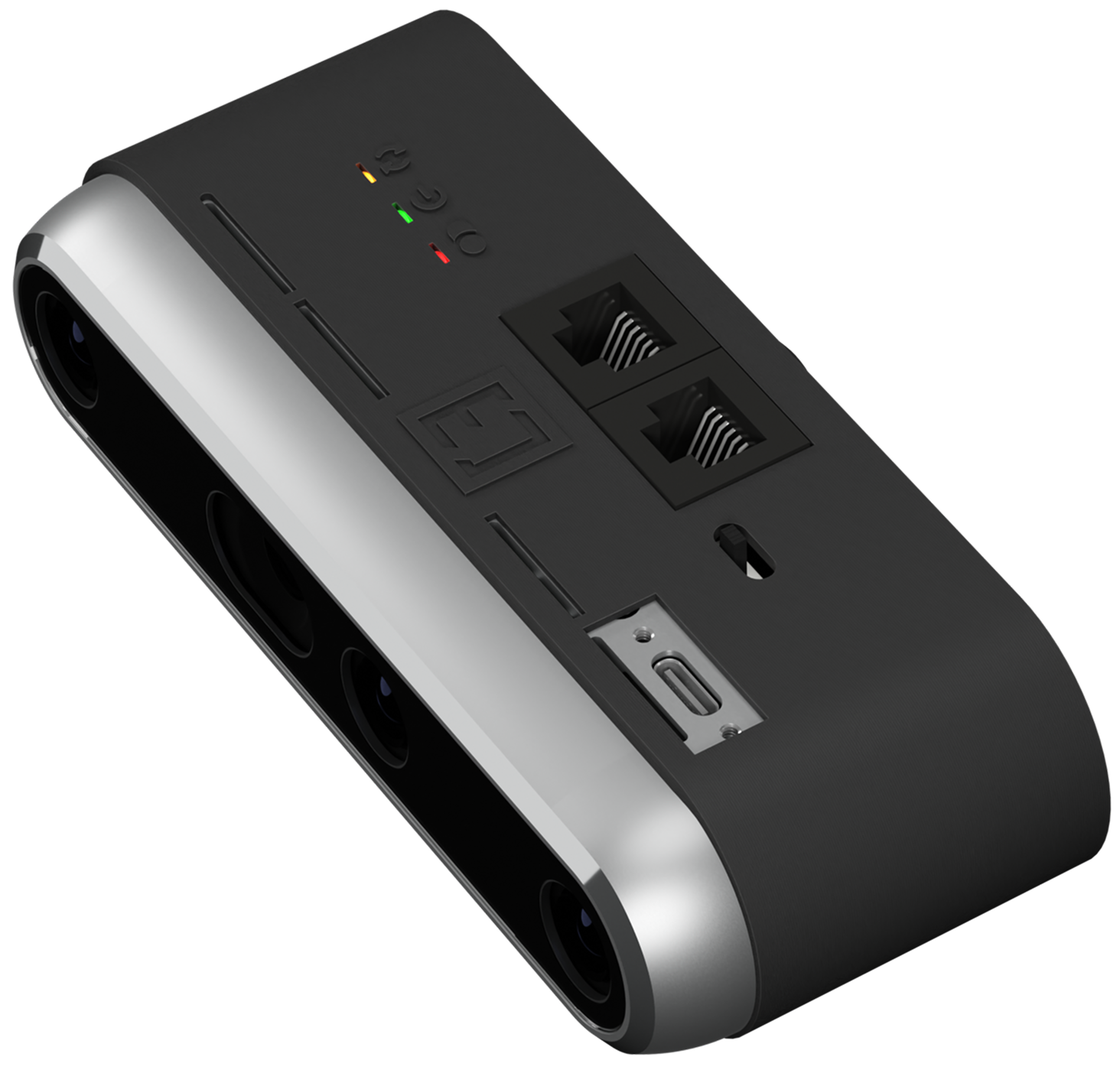
  • RealSense D455 rig — 29 sensors capturing RGB-D

Each system was hardware synchronized, calibrated, recorded, and reconstructed independently, with cameras positioned similarly across the poles but never merged.

Evercoast's RED KOMODO Spatial Capture A deep dive into our a 36-camera RED KOMODO array for cinema-grade volumetric capture. Read on Evercoast Insights arrow_forward

Two rigs, one performance

The same breakdance routine captured from similar vantage points using two very different sensor technologies. Compare the results across each output format below.

RED KOMODO

4K RGB
  • videocam 36 camera positions
  • panorama_horizontal Full 360° configuration
  • camera Canon RF 15-35mm f/2.8
  • aspect_ratio 4K / 17:9 • 1/240 shutter • ISO 800
  • speed 30 FPS
RED KOMODO

RealSense D455

RGBD Stereo Depth
  • sensors 29 camera positions
  • panorama_horizontal Full 360° configuration
  • palette 1280 × 800 color
  • blur_on 1280 × 720 depth
  • speed 30 FPS
RealSense D455

4D Output Assets

Four categories of reconstructed output for each capture system. Download file sequences or stream-ready Evercoast formats.

Playback SDKs & Documentation

Integrate volumetric assets into your application with Evercoast's playback plugins. Stream ECZ and ECM formats in real time across major engines and the web.

Unreal Engine
Unreal Engine Stream and play back ECZ and ECM assets in Unreal.
Docs arrow_forward
Unity
Unity Stream and play back ECZ and ECM assets in Unity.
Docs arrow_forward
Web Player
WebSDK Embed 4D playback in any web app using JavaScript.
Docs arrow_forward
Evercoast
File Formats Reference for PLY, OBJ, ECZ, ECM, and other formats.
Docs arrow_forward

Use Standard Formats Anywhere

Evercoast playback plugins are only needed for ECZ and ECM files, which support real-time streaming and compressed, optimized playback in Unreal Engine, Unity, and the web.

PLY and OBJ outputs are standard 3D formats that work in any professional workflow. Import them directly into Maya, Houdini, Blender, Cinema 4D, 3ds Max, Nuke, TouchDesigner, and other DCC and 3D tools — no plugins required.

Note that playback of per-frame file sequences varies by tool, and large datasets can be resource-intensive — ensure your machine and pipeline can handle the file sizes involved.

DCC Tools